The Tools People Use to Plan a Renovation, and Where Each One Breaks
Spreadsheets, Notion, Airtable, Milanote, Pinterest, wishlist apps and price trackers: what each is genuinely best at, and the point at which it stops working.
The short version
Spreadsheets hold data but can't show you the room. Pinterest and Milanote show the room but hold no data. Notion and Airtable do both if you build it yourself and keep maintaining it. Wishlist apps save links without budgets, and price trackers mostly only cover large marketplaces. Each breaks at a predictable point.
Nobody plans a renovation in one tool. They plan it in four, and then spend the project reconciling them.
This is an honest look at what people actually use, what each one is genuinely good at, and the specific point where it stops being enough. Several of these are better than Vurra at the thing they’re for, and that’s said where it’s true.
Spreadsheets: Excel and Google Sheets
Best for: totals, arithmetic, and any structure you can imagine.
The default, and for good reason. Nothing else lets you invent a column in four
seconds. SUM() at the bottom of a price column is genuinely the single most
useful thing in this entire list, and every tool below is measured against it.
Where it breaks: it can’t show you what you’re buying, nothing fills itself in, and it treats a price as a number that was true once. In practice it goes stale around week three, when adding an item from your phone in a store costs more effort than screenshotting it. The full argument is in why your shopping spreadsheet falls apart.
Cost: free, or bundled.
Notion
Best for: people who like building systems, and projects with a lot of non-shopping context: quotes, contacts, decisions, notes.
There is a large library of renovation and shopping-list templates, and the database view genuinely does hold prices, statuses and custom properties. If you already live in Notion, starting here is reasonable.
Where it breaks: you are the maintainer. Nothing pulls a product’s details in for you, so every item is still typed by hand; a gallery view shows images only if you upload or paste them; and the setup that makes it work is a project of its own. Most abandoned Notion renovation databases were abandoned because the upkeep exceeded the benefit, not because the design was wrong.
Cost: free tier is generous; paid tiers for teams.
Airtable
Best for: larger, more structured projects. Multiple rooms, contractors, deliveries and dependencies, where you genuinely need a database.
More rigorous than Notion at the data end, with better filtering and views. If you’re managing a whole-house renovation with trades and schedules, this is the strongest tool here.
Where it breaks: it is a database, and it feels like one. The overhead is real for a single room, and like Notion, nothing populates itself from a product page. Free-tier record limits also arrive faster than people expect.
Cost: free tier, then per-user pricing that adds up.
Milanote
Best for: the visual thinking end. Moodboards, layouts, notes and images on one canvas, shared with a designer or a contractor.
Genuinely lovely for the inspiration phase, and better at freeform visual arrangement than anything else in this list. It’s also explicitly aimed at this use case, with renovation moodboard and materials-list templates.
Where it breaks: it’s a canvas, not a ledger. There’s no budget that counts itself, and no notion of an item’s price as a number that can be totalled or compared. It’s the right tool for deciding how the room should feel and the wrong one for finding out what it costs.
Cost: free tier, paid for larger boards.
Best for: finding things at all. Nothing else surfaces ideas as well.
Where it breaks: the moment you’re ready to buy. A pin is a link to somewhere, often somewhere that no longer sells the thing. No prices, no totals, no status, and. The specific frustration: no way to record that you’ve already bought one of these. It’s the top of the funnel and it does not pretend otherwise.
Cost: free.
Universal wishlist apps
Moonsift, GiftList, MyRegistry, Giftster and similar.
Best for: saving products from many stores in one list, and gifting. If what you want is a registry other people can buy from, use one of these: several do it well, and Vurra does not do it at all.
Where it breaks: they’re built around a list of things you want, not a project with a budget. Generally no per-board budget, no running total against a ceiling, and no fields of your own, so “clears the radiator” and “9 week lead time” have nowhere to live.
Cost: mostly free.
Price trackers
Camelcamelcamel, Karma, Honey, Visualping and similar.
Best for: knowing whether a price is good, on the stores they cover.
Where it breaks: coverage. The ones with real price history are largely marketplace-shaped, which is exactly the wrong shape for furniture, lighting and independent brands. General-purpose page monitors work on any URL but watch a page, not a product, so they fire on banner changes and need configuring one at a time. Several also want a lot of browsing data.
Cost: free, with your data as the price in some cases.
Vurra
Best for: the shopping project itself. A board that is also a structured list with a budget.
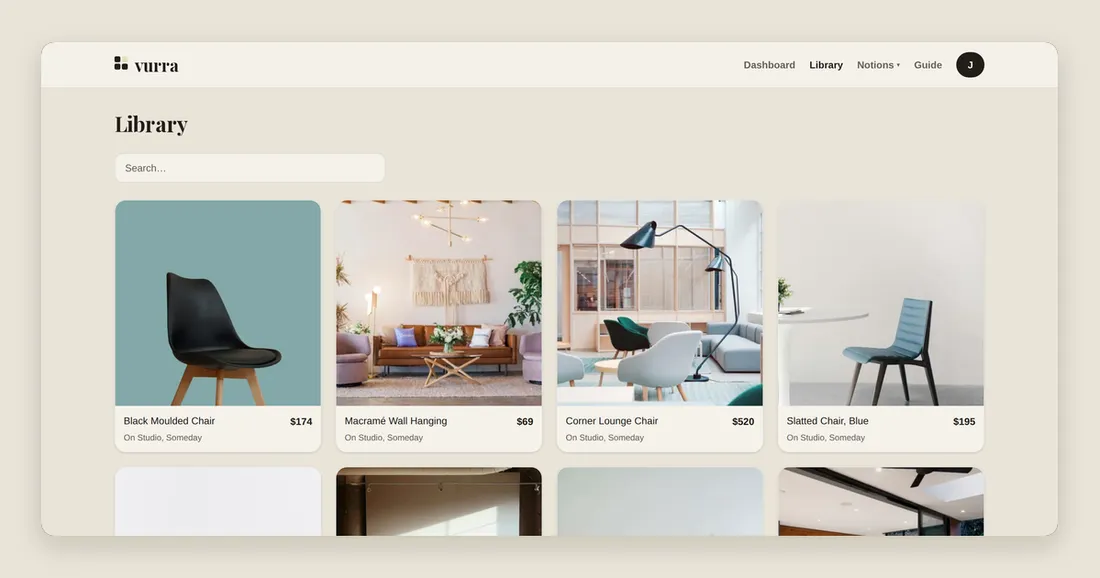
Items carry a price, a status and fields you name; the board totals against a budget you set; pasting a product link fills in the title, price and image; and the items you choose are watched for price drops with the baseline captured when you started watching. It stays picture-led, so you can still see whether the room hangs together.
Where it breaks, and this is the honest part:
- Boards are single-user. No shared editing, no public share links. If you need a designer or a partner editing the same board, it isn’t built.
- No browser extension. Saving is a paste.
- Some stores block automated reads. When that happens Vurra says so on the item rather than showing a stale price, and you fill in the details yourself.
- It is not a project manager. No contractor scheduling, no dependencies, no Gantt anything. If your renovation is mostly trades and timelines rather than purchases, Airtable is a better fit.
Cost: free while it’s in early access.
So what should you actually use?
- One room, mostly buying things: a board with a budget. That’s the case Vurra is built for.
- Whole house, trades and schedules: Airtable for the project, something visual for the shopping.
- Still deciding how it should look: Pinterest or Milanote, and don’t try to make either hold money.
- A registry other people buy from: a universal wishlist app.
- You genuinely enjoy the spreadsheet: keep it. Add a column for the date you last checked each price, and you’ll have closed the biggest gap yourself.
The reason people end up with four tools is that these are four different jobs. The one worth consolidating is the middle: the visual list with real numbers on it, which is the thing everyone builds by hand because it keeps not existing.