Visual Planning Companion
A list you can actually see.
Vurra gives whatever you're gathering a picture and the few facts that matter. A price, a size, a cook time, who's paying. A room you're furnishing. Recipes you'd actually make. A trip you're booking. Things you recognise at a glance, instead of rows you have to read.

The gap
A row of text is a bad picture of a thing.
"Halden Velvet Sofa, Forest" is not a sofa. "Charred corn and avocado bowl" is not dinner. Text makes you reconstruct from memory what a picture would have told you instantly, and the tools that do show pictures know nothing else about the thing.
So the plan ends up in two places that disagree: a board of images somewhere, and a spreadsheet of links somewhere else. It works right up until it doesn't.
The idea
One tile: a picture, and the facts.
Every item in Vurra is an image with structured detail attached. A status, a source link, and fields you name yourself. Lead time on a sofa. Cook time on a recipe. Whether the ryokan is booked.
Where money is involved, give the board a budget and it counts itself. Where it isn't, leave it out. Nothing here insists on a price.
One board, and it adds up.
Statuses, custom fields and a budget bar: on the same tiles that show you what the room is going to look like.

A board that holds real data
Every item carries a price, a status and whatever fields the project needs: size, store, colour, who's paying. It looks like a moodboard and behaves like a spreadsheet.
Budgets that keep count
Give a board a budget and it tracks itself. Item totals, what you've already bought and what's left, updated as you add things rather than the evening before the card statement.
Save from anywhere
Paste a link from any store and Vurra pulls the title, price and picture. Nothing is tied to one retailer, so the board matches how you actually shop.
Watch the things worth waiting for
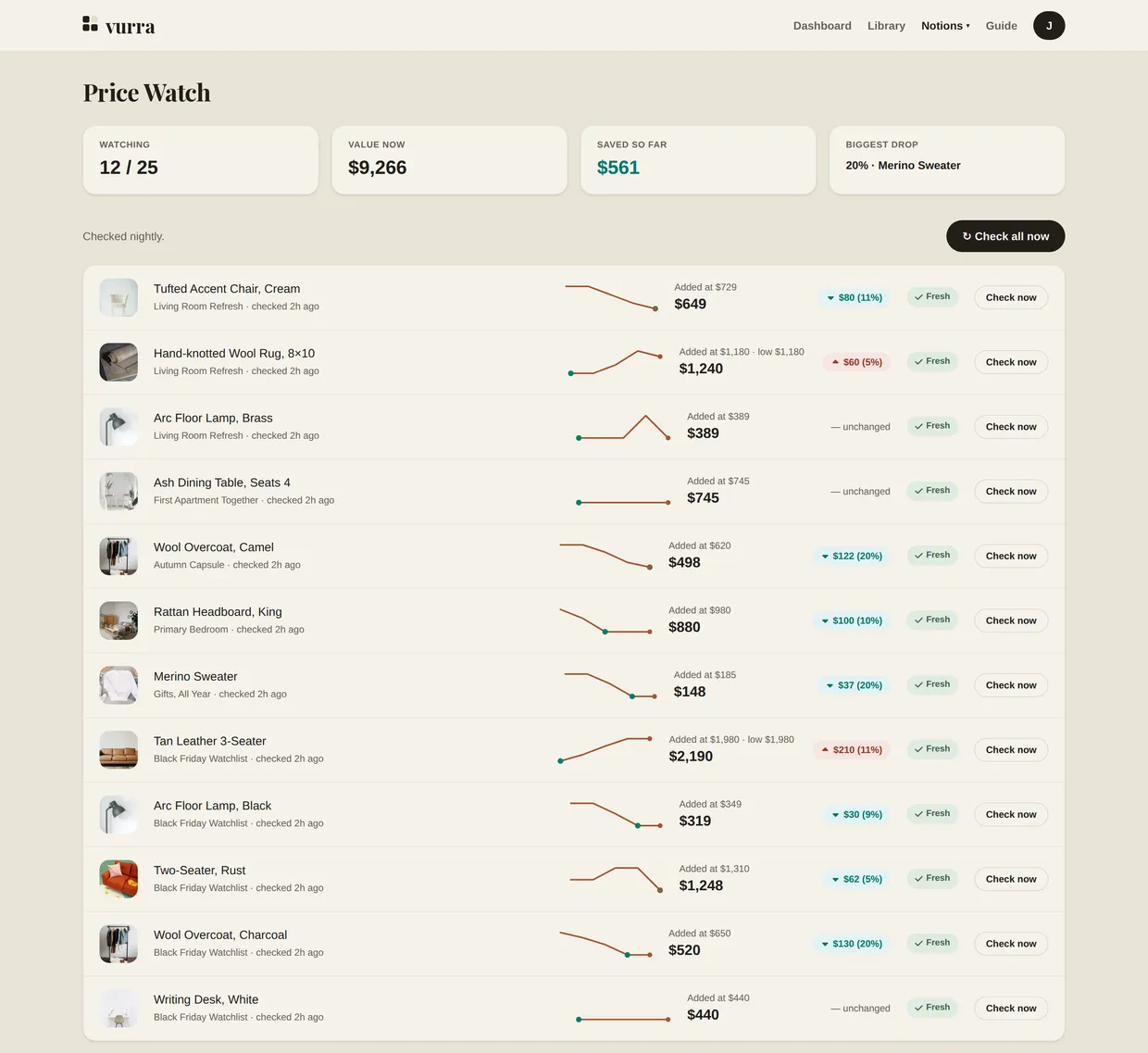
Mark an item as tracked and Vurra checks its price for you, keeps the history and tells you when it drops. Only for the items you choose, not a feed of deals.
Price Watch
Wait for the right moment, without watching for it.
Tracking every price you ever see is noise. Vurra tracks the ones you picked. The coat the whole capsule hangs off, the rug you'd buy today at the right number, and keeps their history so a "sale" has something to be measured against. When nothing moves, it says so, which is most weeks and is worth knowing too.
Not only for shopping
Anything you'd otherwise keep as a list of links.
A price is optional on an item, and a budget is optional on a board. Take both away and everything else works the same, which is what makes this useful for collections with no money in them at all.

Recipes saved from around the web. You know which one you want by looking at it, which is the whole trouble with a list of recipe names. Cook time and servings sit on the tile.
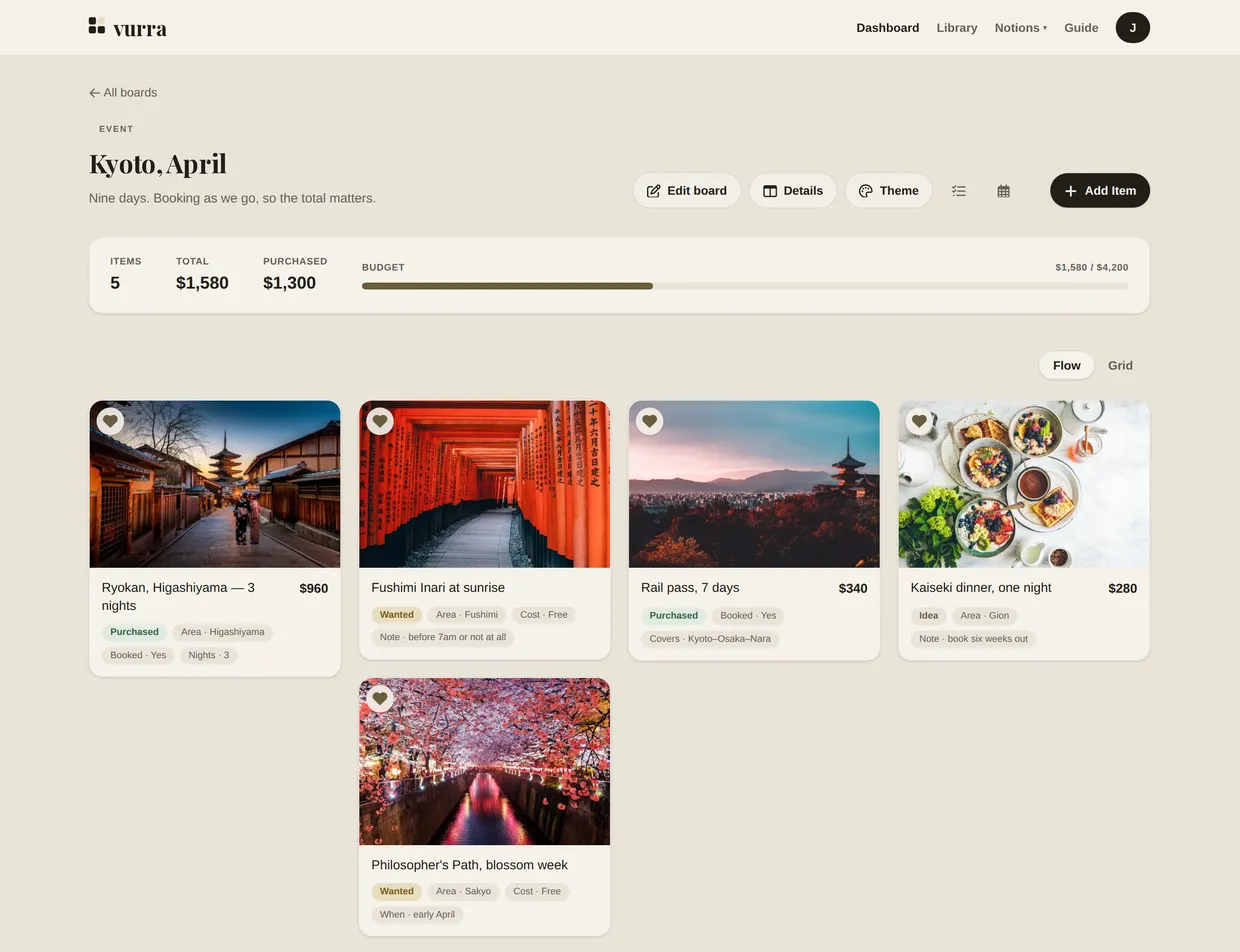
Or a trip, where the money comes back
Same board, different job. Some items have a price and some don't, the budget counts what's booked, and a field of your own records whether it is.
The jobs people actually use it for
A room being furnished, a capsule wardrobe, a week of meals, a van being converted, a classroom set up on a teacher's own money. Each one has a page explaining the job and a board you can open and build on without an account.
Build one, right now.
Free while Vurra is in early access. Or look through a finished board for whatever you're planning first, and open any item on it.