How it works
A board, and everything that hangs off it.
Vurra has one central idea: every item is a picture with the facts you decide it needs, and a handful of screens that make it useful. Here's all of it, as it actually looks. The examples below are mostly shopping, because that's where the budget and price features earn their keep, but nothing here requires a price.
01
Start a board for whatever you're gathering.
A room, an outfit, an event, or recipes, or a trip, or anything else you'd otherwise keep as a folder of links. Give it a budget if it has one and leave it off if it doesn't. Your dashboard is every board you've got going, each with a live count and, where there is one, how the total sits against its budget.

02
Add items by pasting a link.
Paste a product URL from any store and Vurra reads the page for the title, price and image. No copying five fields by hand, which is the tax that stops most shopping lists ever getting a second entry.
You can also add something by hand, or start from a photo: useful for the shop that doesn't have a website and the thing you saw in a window.

03
Give items the fields your project needs.
Every item carries a status: idea, wanted or purchased. An optional price, and then whatever else matters to you. Lead time on a sofa. Size and fabric on a coat. Cook time on a recipe. Whether the hotel is booked.
These aren't a fixed set of columns someone else chose. You name them, and they show on the tile.
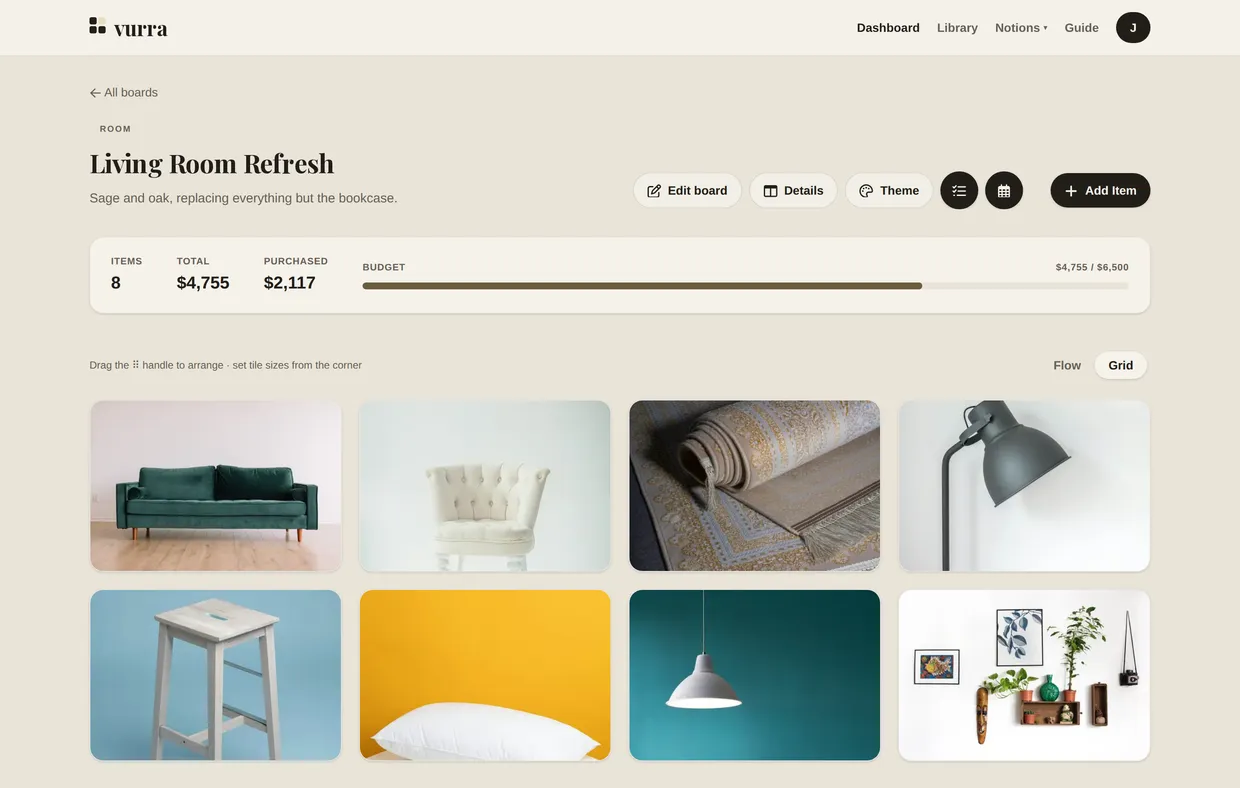
The same board in Grid view. Flow puts the data forward; Grid puts the pictures forward. Same items either way.
04
Watch the prices worth waiting on.
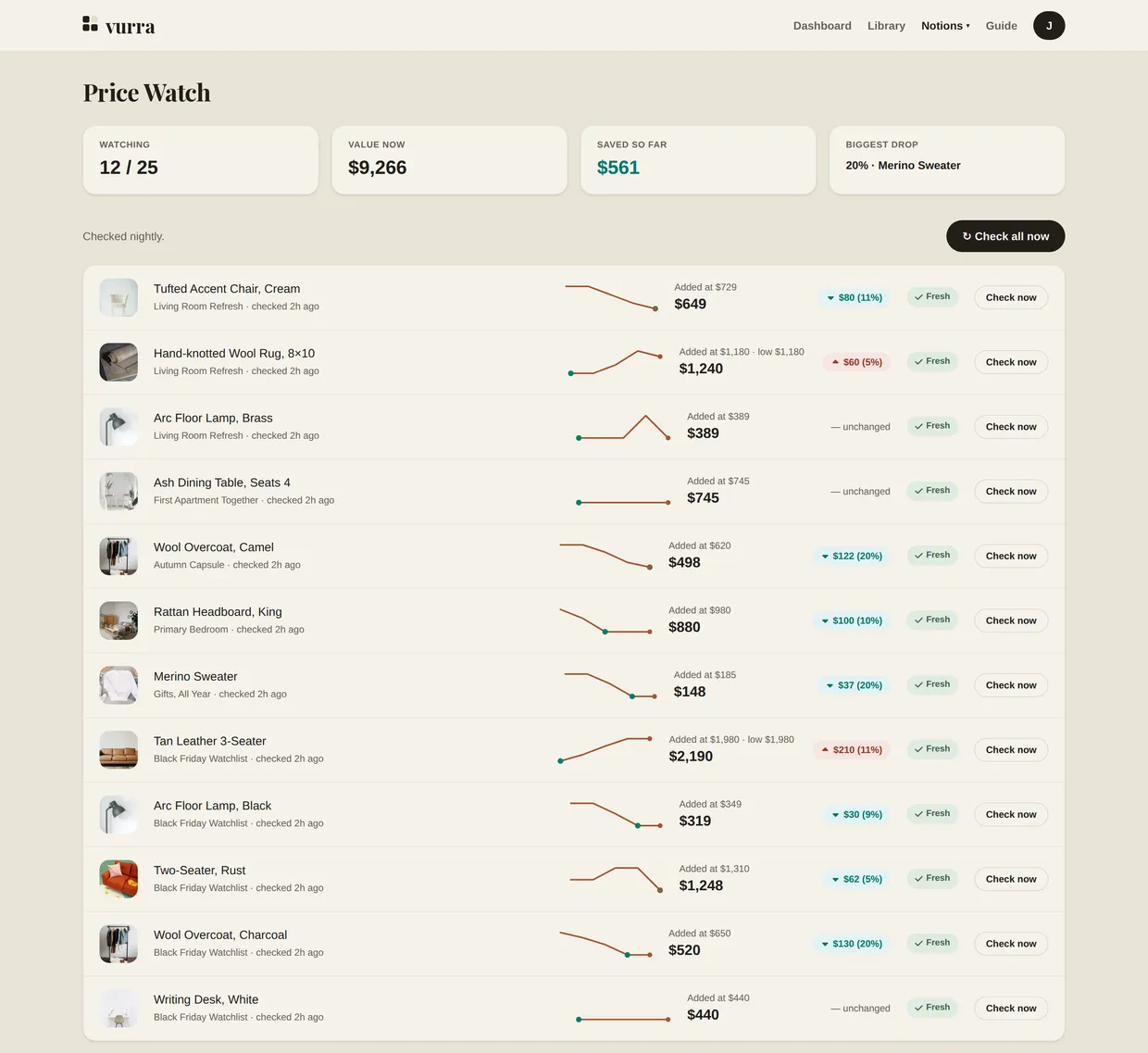
Mark an item as tracked and Vurra records what it cost at that moment, then checks the page on a schedule and keeps every result. Price Watch shows the baseline, the current price, the lowest it's been seen, and the shape of the history.
A drop is measured against what the thing has actually cost, not against a banner on the store's own page. When nothing has moved, it says so.
05
Keep the things you'll want again.
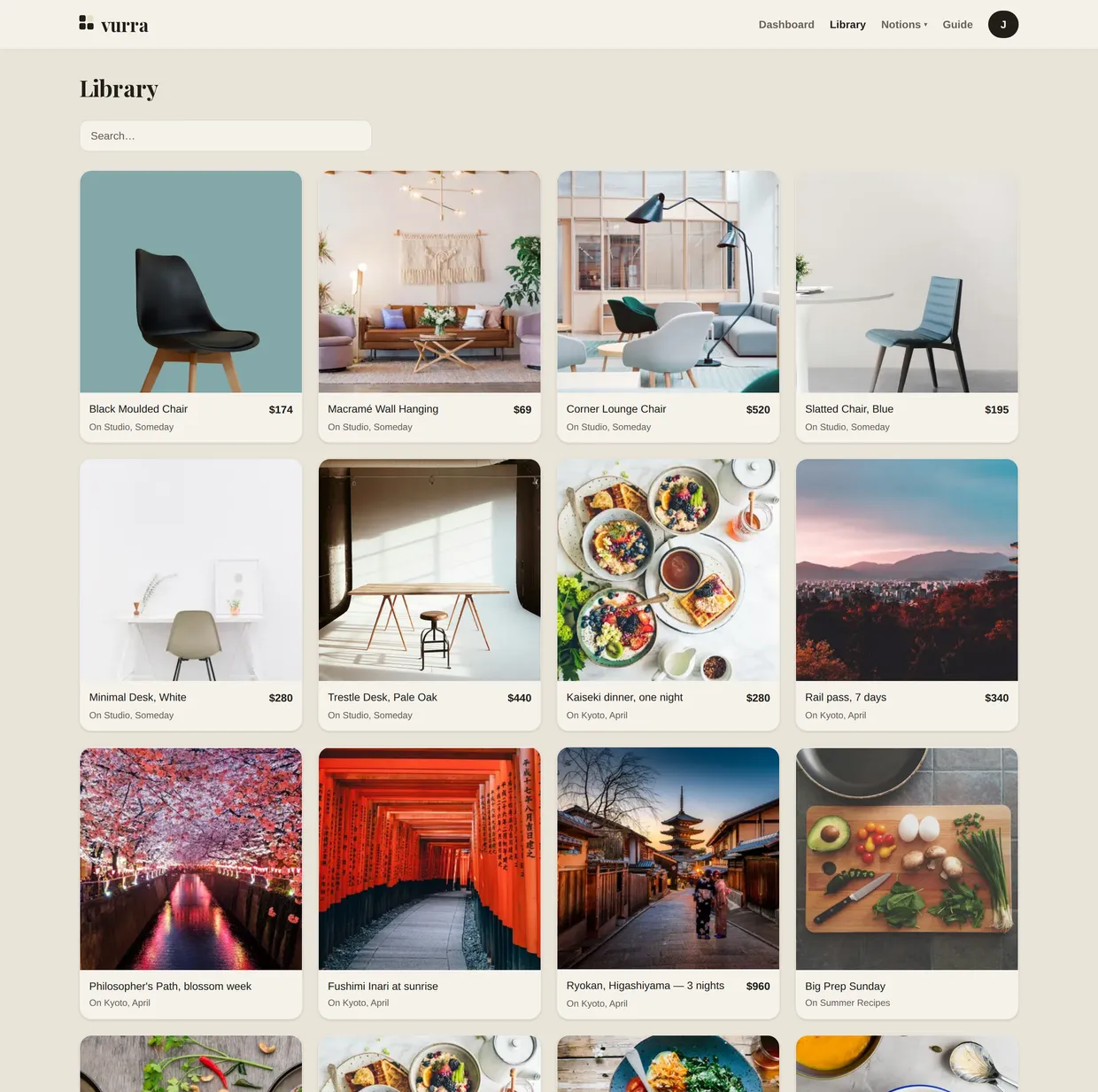
Anything you save goes to your Library, and stays there whether or not the board it was on still exists. The chair you didn't buy for the living room is right there when you start on the study.
06
The parts that aren't purchases.
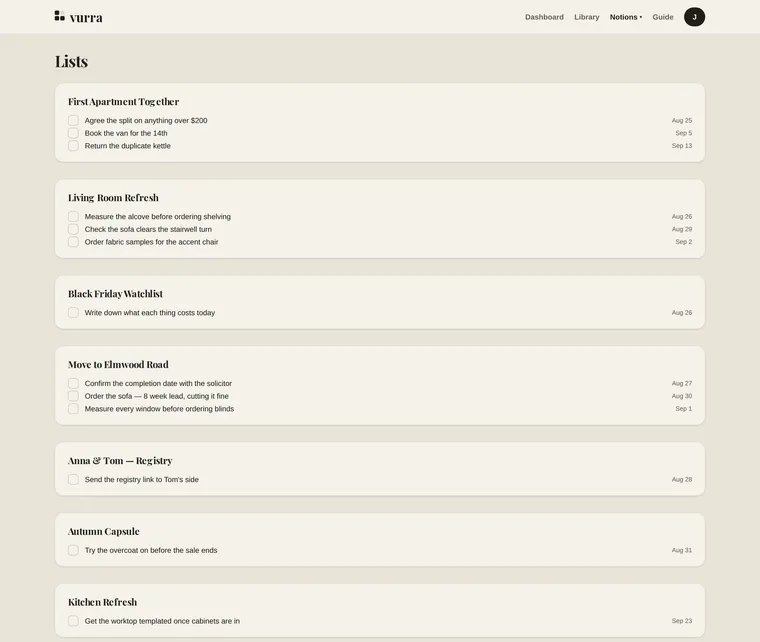
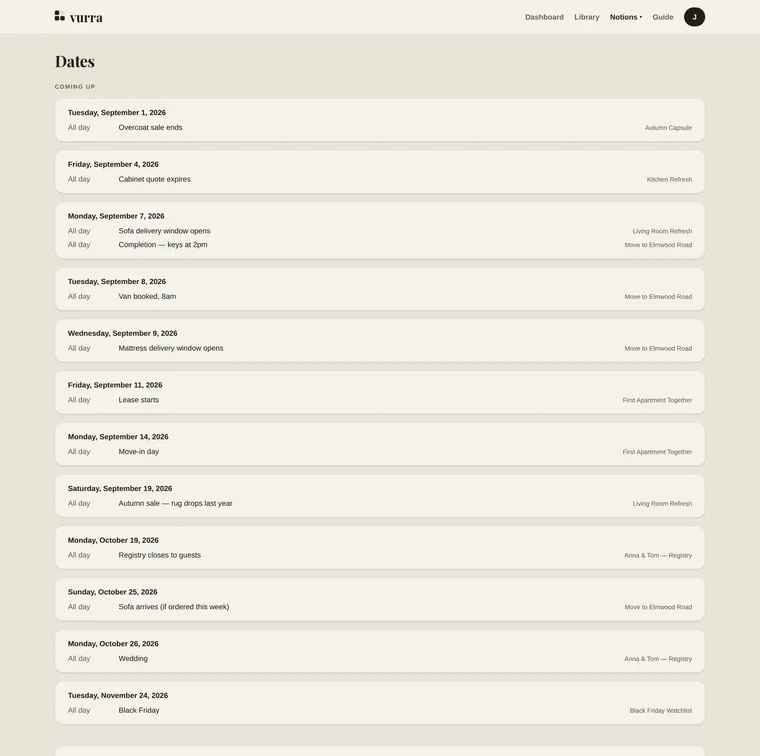
Most projects have things to do and dates to hit that aren't things to buy. Lists holds the tasks, grouped by the board they belong to. Dates holds the deadlines. The delivery window, the move-in day, the last order date before a sale ends.
They live next to the shopping instead of in a separate app, which is the only reason they get looked at.
What Vurra doesn't do yet
Worth knowing before you sign up rather than after.
- It isn't a recipe manager or a trip planner. No ingredient parsing, no meal plans, no maps, no itinerary routing. Those categories have good specialists; Vurra is the visual board underneath, not a replacement for them.
- Boards are single-user. There's no shared editing and no public share links yet. If two people need to edit the same board, that isn't built.
- Some pages can't be read automatically. Retailers mostly allow it. Editorial sites: recipe and travel publishers especially: increasingly don't, and on a sample of those, most blocked the read. When that happens Vurra tells you on the item rather than showing something stale, and you fill in the details and add a picture yourself.
- There's no browser extension. Saving is by pasting a URL for now.
- There are account limits. Boards, items, tracked items and image storage all have ceilings. They're generous for a personal project and they're visible in the app.
Rather press the buttons yourself?
There's a working board on this site: no account, nothing saved. Otherwise, start one that keeps. Free while Vurra is in early access.